Creating an Account
Set up your ScriptMagic account to start collaborating with your production team. There are two ways to get started: through an invitation link or by requesting access.
Joining via invitation (recommended)
The most common way to get started is through an invitation from your production team.
- You'll receive an email with a link to join a specific production
- Click the link — you'll see the invitation details (who invited you, which production, and your assigned role)
- Fill in the sign-up form:
- Email — pre-filled from the invitation (read-only)
- Full name — pre-filled if provided by the person who invited you
- Phone number (optional)
- Password — minimum 6 characters
- Confirm password
- Click Create Account & Join
- You'll be signed in and taken to your productions dashboard
Note
Invitation links expire after 7 days. If your link has expired, ask your production team to send a new one.
If you already have a ScriptMagic account and receive an invitation to a new production, just sign in — the production will be added to your dashboard automatically.
Requesting access
If you don't have an invitation link, you can request an account from the login screen.
- Go to the ScriptMagic login page
- Click Create Account
- Fill in the request form:
- Email (required)
- Full name (required)
- Phone number (required)
- Pronouns (optional)
- Role/Position (optional)
- Emergency contact (optional)
- Notes (optional)
- Submit your request
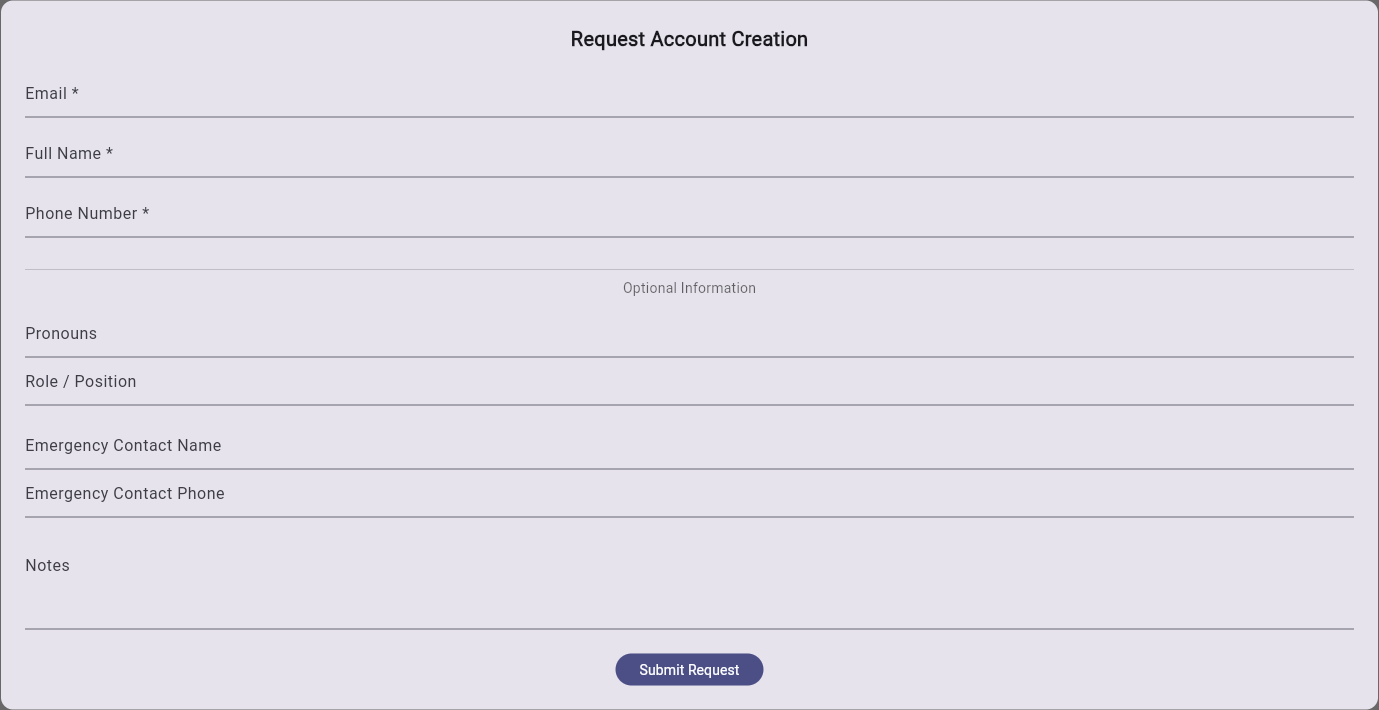
Your request will be reviewed by a production admin. If approved, you'll receive an email with instructions to complete your account setup.
Forgot password
If you've forgotten your password:
- Go to the ScriptMagic login page
- Click Forgot Password
- Enter the email address associated with your account
- Check your email for a password reset link
- Click the link and set a new password
Next steps
Once your account is created, learn how to navigate the app or join a production you've been invited to.